Skip to content
Community

DaggerCraft

Made by Creator

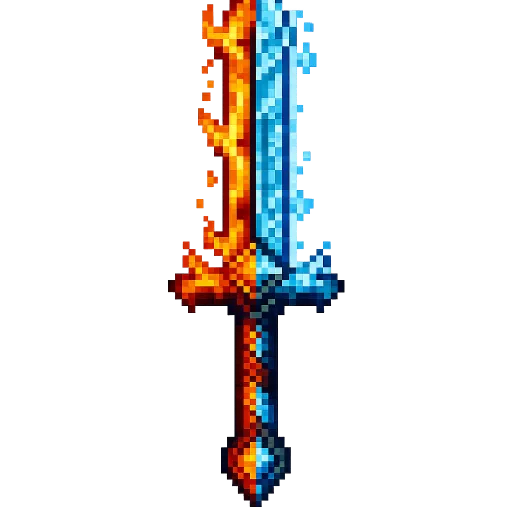
DaggerCraft adds a brand-new tier of ultra-fast, lightweight daggers to your world! Trade the slow, heavy swings of vanilla swords for rapid-fire, high-speed strikes across 7 complete tiers—from humble Wooden and Stone blades all the way up to powerful Diamond and fireproof Netherite daggers. Perfect for quick combat, stealthy ambushes, and players who want to dominate with speed!

0 likes0 downloadsShared

What you need

Minecraft
Java Edition 1.21.8
File
daggercraft-1.0.0.jar
Made with
BlockGPT Mods, no code

What's inside

Nothing yet. This mod is empty.
How to play

Download the mod, then:

  1. Step 1: Get Fabric for Minecraft 1.21.8

    Fabric lets Minecraft load mods. Run the Fabric installer (opens in a new tab) and pick 1.21.8.

    The Mac installer is a .jar file and needs Java to run.

  2. Step 2: Add Fabric API

    Download Fabric API (opens in a new tab) (the 1.21.8 version). It goes in the mods folder too.

  3. Step 3: Put your mod in the mods folder

    Your mod is daggercraft-1.0.0.jar. Open this folder and drop it in:

    Windows%appdata%\.minecraft\mods
    Mac~/Library/Application Support/minecraft/mods

    To open it, paste the path into the address bar of File Explorer (Windows), or into Go to Folder in Finder (Mac: Shift Command G).

    The mods folder appears after you start Minecraft with Fabric once.

  4. Step 4: Start Minecraft with the Fabric 1.21.8 profile

    In the Minecraft Launcher, pick the Fabric profile next to Play (it is called fabric-loader-1.21.8), then make a new world.

More mods